hd99 Live Casino Slots
Live casino tables, slots and cricket betting — all funded directly through JazzCash, Easypaisa or Raast without leaving your phone. Access is available where local law permits, and your wallet stays the one you already use every day.

hd99 · Pakistan
Service availability depends on eligible regions and local law. Users should check local rules before opening an account.
Play on any device, any time
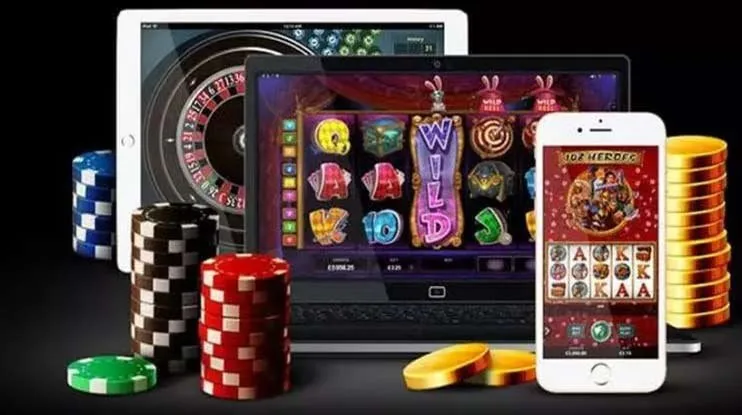
The hd99 lobby is built for mobile-first browsing — the same full catalogue you'd see on desktop loads cleanly in a mobile browser without a separate download. Players in Karachi and Lahore run crash games and live baccarat on the same phone they use for JazzCash. Switch to a tablet for live tables when you want the wider view, or open a desktop browser for tournament-style sessions. The session carries across devices as long as you're logged in.

Offers for new accounts

A welcome offer is available on your first deposit — a deposit match for new casino accounts. Visit the promotions page after registering for the current terms and amounts. Terms apply.
Open Your Account
New accounts can access a first-bet offer on the sportsbook — the details are shown on the promotions board once your account is open. Terms apply.
Open Your AccountPayment methods for Pakistan accounts
hd99 accepts deposits and processes withdrawals through the three payment rails Pakistani players use daily. JazzCash and Easypaisa work through the apps already on your phone — open the app, enter the account number displayed at checkout, confirm with your PIN. Raast moves funds through your bank's own interface and follows the same verification path. Bank Transfer and Debit Card are also available for accounts that prefer them. Withdrawal requests go through a brief verification check before reaching your wallet; the exact timing depends on the payment method and your account status.
JazzCash
Easypaisa
Raast
Bank Transfer
Debit Card
Browse slots, live tables and crash games
The hd99 catalogue runs across slots, live casino and crash game rooms. Slot titles from Pragmatic Play include Gates of Olympus and Sweet Bonanza alongside PG Soft releases like Mahjong Ways; live casino floors are powered by Evolution and stream baccarat, roulette and Dragon Tiger around the clock. Switch between sections from the navigation bar — no reload, no extra login.
Powerball Texas Hold’em
Prize Hunters
Crash or Cash

Baccarat Lightning

JazzCash Account Check

Football Goalzone
From registration to first game
Register
Enter your mobile number, set a password and verify the OTP sent to your phone.
Deposit
Choose JazzCash, Easypaisa or Raast on the deposit screen and send funds from your wallet app.
Choose a game
Browse the Slots, Casino or Sports tab and open any title that catches your eye.
Play
Your balance is live the moment the deposit clears — place a bet or spin directly from the game screen.
What's running this week
Reach the support team your way
Account issues, deposit questions, withdrawal status — the hd99 support team handles all of these through the channels below. Live chat is the fastest route for anything time-sensitive; email works for document-heavy queries where you need to attach screenshots.
Live chat
The chat widget sits in the bottom corner of every page. Start a session without logging out — agents can pull up your account and transaction history while you're talking and resolve most issues in the same session.
Email support
For queries that need a written trail — disputed transactions, account verification documents, or a detailed withdrawal question — email gets you a ticket number and a written reply you can refer back to.
Mobile-first help
The entire support flow works from a phone browser. If your JazzCash or Easypaisa deposit shows in your wallet but not on hd99, open chat from the same phone and the agent can cross-reference the transaction reference on the spot.
Play on any device
Whether you're on a phone, tablet or desktop browser, the hd99 lobby loads the full catalogue without an app download — just open the site and log in.


Open your account and explore what's here
Getting into the hd99 lobby takes a few steps — register with a valid mobile number, add funds through the wallet already on your phone, and you're looking at the full catalogue. If anything feels unclear at any point, the support team is reachable while the lobby is live.
hd99 — the full lobby, one screen
From high-cap slot rooms to live dealer tables and in-play sports markets, everything hd99 carries is a single tap away once your account is open.
How your account and data stay protected
hd99 applies multiple layers of protection to every account, from the moment you log in to the moment a withdrawal lands in your wallet. Each layer covers a distinct part of the account lifecycle so there's no single point of failure in how your session and payment data are handled.
Platform at a glance
- Game providers
- Pragmatic Play, Evolution, NetEnt, PG Soft
- Game categories
- Live Casino, Slots, Sportsbook
- Sports betting
- Included
- Accepted currency
- PKR
- Payment methods
- JazzCash, Easypaisa, Raast, Bank Transfer, Debit Card
- Customer support
- Live chat and email
Frequently asked questions about hd99
Switch between casino, slots and sportsbook
The lobby navigation bar at the top of the screen carries three main tabs: Casino, Slots and Sports. Tap Casino to reach live dealer rooms — Baccarat Lightning and Dragon Tiger are in the live table section; tap Slots to filter by provider or feature type; tap Sports to open the sportsbook where cricket markets, including PSL in-play, are listed under the Cricket category. The search bar in the Slots tab finds any title by name in under a second — type 'Crash' to pull up Aviator and similar rooms, or 'Teen Patti' for Teen Patti Dhamaka.
Finding a specific game
The search bar in the Slots section returns results as you type. Searching 'Olympus' surfaces Gates of Olympus immediately; 'Mahjong' returns Mahjong Ways and variants. Live table names appear in the Casino tab search instead.
Switching between sections
Casino, Slots and Sports share the same navigation bar. Moving between them doesn't close your session or require a reload — your balance is visible in all three views and updates in real time as bets settle.
Reaching your account area
The account icon (top-right on both mobile and desktop) opens your balance summary, active bonuses if any are running, and the full transaction history. Withdrawal requests are initiated from the same screen under the Withdraw tab.
Cricket and sports markets
Open the Sports tab and select Cricket from the left-hand category list. PSL fixtures and international matches show pre-match and in-play markets; in-play odds update live during the match. Football and other sports categories sit below Cricket in the same list.